Permanently Redact Sensitive Information
Draw redaction boxes over confidential text, PII, or images, then apply them to permanently remove the underlying content before sharing. Everything happens in your browser.
Free & full-featured · No uploads · Works offline
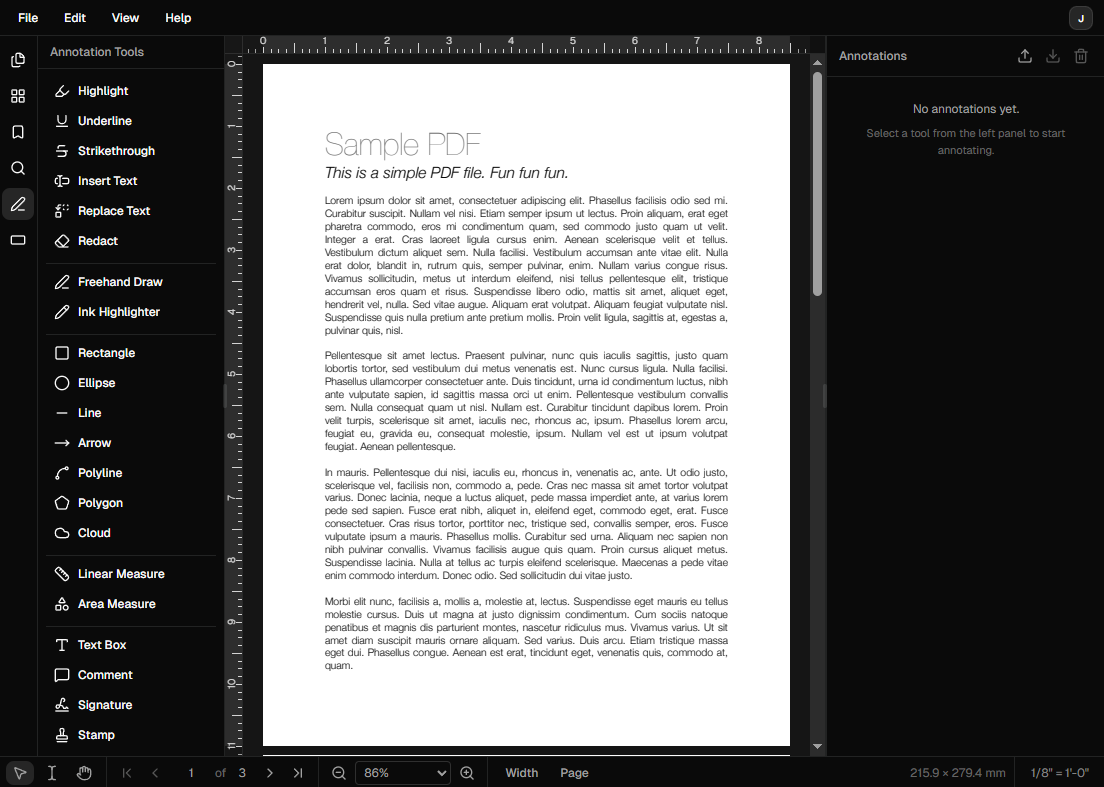
PDF REDACTION
Remove sensitive content permanently
Unlike black highlighters or covering boxes, DraftPDF's redaction tool removes the underlying content so it can't be recovered.
Mark redaction areas: Draw rectangular redaction marks over any text, image, or region you need to remove.
Apply redactions permanently: Burn the redactions into the document to strip the underlying content, not just cover it.
Useful for PII and legal documents: Ideal for removing names, addresses, social security numbers, and other sensitive data before sharing contracts or legal filings.
Frequently Asked Questions
Everything you need to know before you get started.
How do I redact a PDF?
Step-by-step guide
Open your PDF in DraftPDF and select the Redaction tool from the toolbar. Draw boxes over the content you want to remove. When you're ready, click Apply Redactions to permanently burn them into the document, then save.
Is redaction in DraftPDF truly permanent?
Content removal
Yes. Applying redactions removes the underlying content from the PDF data, not just visually covers it. The redacted areas are replaced with solid black rectangles and the original content cannot be recovered from the exported file.
Can I redact images as well as text?
Image redaction
Yes. The redaction tool works on any content type — text, images, or vector graphics. Draw the redaction box over the area you want removed regardless of what type of content it covers.
Is my document uploaded during redaction?
Privacy
No. All redaction processing happens locally in your browser using WebAssembly. Your document is never sent to a server, which is especially important when handling sensitive personal or legal information.
Ready to get started?
Open DraftPDF in your browser — no account, no install, no data ever leaves your device.
Free & full-featured · Works offline · No sign-up required
Related Tools
Merge PDFs
Open multiple PDF files and combine them into one document in seconds. Free, browser-based PDF merger — no uploads, no installs.
➕Insert Pages
Add pages from another PDF or insert blank pages anywhere in your document. Free, browser-based, no uploads required.
✂️Delete Pages
Remove unwanted pages from any PDF document instantly. Browser-based, no uploads, no installs.
🔖PDF Bookmarks
Create, edit, and organise PDF bookmarks (outlines) to make navigation effortless. Free, browser-based.