Combine PDF Files Effortlessly
Open multiple PDFs and merge them into a single document in seconds — all inside your browser, no data ever leaves your device.
Free & full-featured · No uploads · Works offline
MERGE & COMBINE
Bring your documents together with ease
Whether you're combining reports, contracts, or scanned pages, DraftPDF makes merging PDFs fast and painless.

Drag-and-drop reordering: Arrange pages from each file exactly how you want before merging.
Unlimited file count: Combine two files or twenty — there's no cap on how many PDFs you can merge.
Instant preview: See a live thumbnail preview so you know exactly what the final document will look like.
Frequently Asked Questions
Everything you need to know before you get started.
How do I merge PDF files?
Step-by-step guide
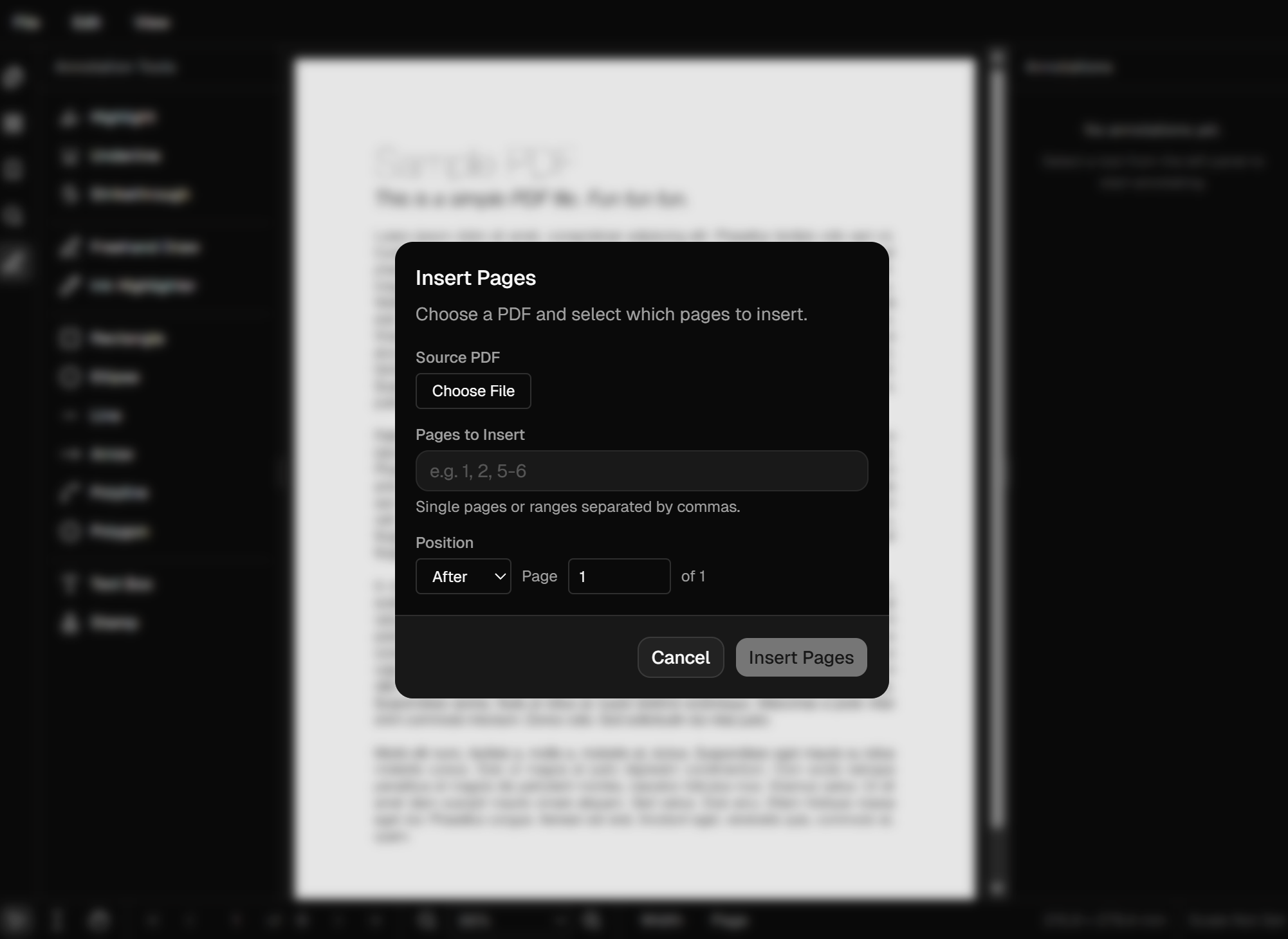
Open a PDF in DraftPDF, then click the Edit > Insert Pages button, and select the file you want to combine. Set the insertion position, hit apply, and then save the merged document to your device.
Is it safe to merge PDFs online?
Privacy & security
Yes. DraftPDF processes everything locally inside your browser using WebAssembly. Your files are never uploaded to any server, so your documents remain 100% private.
How many PDFs can I combine at once?
File limits
There is no hard limit. You can merge as many PDF files as your device's memory supports. Most users comfortably combine dozens of files in one session.
Will the quality be preserved?
Output fidelity
Absolutely. DraftPDF uses PDFium to merge documents, the same powerful PDF engine from the Chrome browser, which preserves fonts, images, vector graphics, and annotations at their original quality.
Ready to get started?
Open DraftPDF in your browser — no account, no install, no data ever leaves your device.
Free & full-featured · Works offline · No sign-up required
Related Tools
Insert Pages
Add pages from another PDF or insert blank pages anywhere in your document. Free, browser-based, no uploads required.
✂️Delete Pages
Remove unwanted pages from any PDF document instantly. Browser-based, no uploads, no installs.
🔖PDF Bookmarks
Create, edit, and organise PDF bookmarks (outlines) to make navigation effortless. Free, browser-based.
✏️Edit PDF
Edit, annotate, and modify PDF files directly in your browser. No software install, no uploads.